
If you want to know how to calibrate a ph meter, you need to follow a few simple steps. Learning how to calibrate a ph meter means making sure your device gives accurate pH readings. This process is crucial because it ensures your results are reliable. You should learn how to calibrate a ph meter regularly, especially if you use it in a laboratory or industrial setting. Frequent calibration helps your meter stay precise and dependable. Here’s why knowing how to calibrate a ph meter is so important:
- Regular calibration keeps your measurements accurate and helps prevent equipment failure.
- It ensures you comply with industry standards and keeps your data trustworthy.
- Lab meters require frequent calibration because even small environmental changes can affect results.
That’s why understanding how to calibrate a ph meter is essential and should never be overlooked.
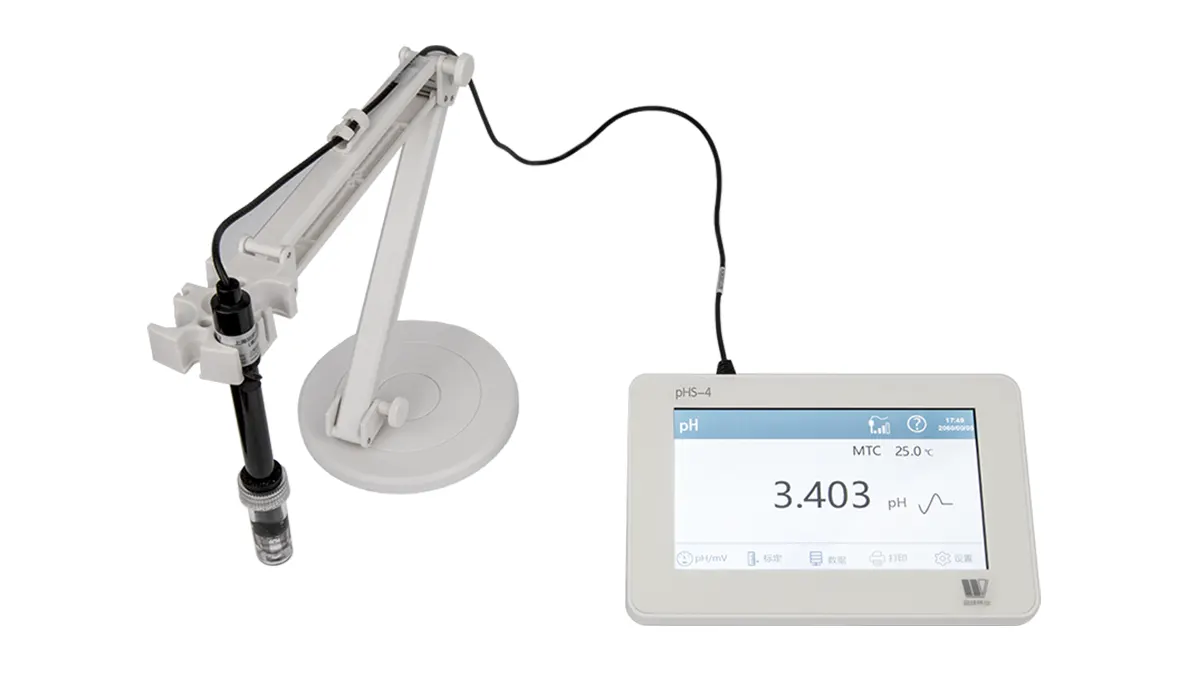
Key Takeaways
- Calibrate your pH meter often to keep it correct.
- Use buffer solutions such as pH 4 and pH 7 to calibrate.
- Rinse the electrode with deionized water between each buffer.
- Keep the electrode wet so it does not get damaged.
- Look at buffer solution dates before you use them.
- Clean the electrode a lot to stop mistakes.
- Write down calibration results so you can check them later.
pH Meter Calibration Basics
What Is Calibration?
When you calibrate a ph meter, you make sure it gives correct readings. Calibration means you check the meter’s numbers against known values. You use special liquids called buffers. Buffers have a set ph, like ph 4, ph 7, or ph 10. You put the meter’s electrode in these liquids. Then you change the meter until it matches the buffer’s number.
Here’s how you do it:
- You pick buffer solutions with a set ph.
- You check the electrode’s reading in each buffer.
- You use these numbers to make a calibration curve.
- You change the meter so it matches the buffer’s ph.
Calibration is not something you do just once. You need to do it often to keep your ph meter working right. The ph scale does not always go up in even steps. Calibration helps your meter stay correct for all ph values.
Tip: Always wash the electrode with clean water after each buffer. This helps keep your calibration correct.
Why Calibrate a pH Meter?
You may wonder why ph meter calibration is so important. The answer is accuracy. Over time, the electrode inside the meter can change. This can make your readings less correct. If you skip calibration, you might get wrong results.
Here are some big reasons to calibrate a ph meter:
- You make sure your readings are right and can be trusted.
- You keep things safe and the same, like food or medicine.
- You follow industry rules and standards.
- You help your electrode last longer by finding problems early.
Even small mistakes in ph can cause big trouble in labs or factories. Regular calibration keeps your data correct.
Calibration is needed because the ph electrode can change over time. This can cause mistakes in your measurements.
Calibration vs. Maintenance
Some people think calibration and maintenance are the same thing. They are not. Calibration means you set your ph meter to match known values. Maintenance means you clean and take care of your meter.
Here is a simple table to show the differences:
| Aspect | Calibration | Maintenance |
|---|---|---|
| Frequency | Daily or more often | No set schedule |
| Procedures | Use buffer solutions to set meter | Clean electrode, look for damage |
You should calibrate a ph meter often, maybe every day. Maintenance is when you clean the electrode or look for cracks. Both are important. Calibration keeps your readings right. Maintenance keeps your meter working well.
If you do both, your ph meter will work well for a long time.
Materials for Calibration
Buffer Solutions (pH 4 & pH 7)
You need buffer solutions to calibrate your ph meter. These solutions have a set ph value, like ph 4 and ph 7. Using them helps your ph meter show the right number. Buffer solutions are the most important part of ph meter calibration. You can get technical buffers for normal checks or certified buffers for better accuracy. Certified buffers follow strict rules and come with a certificate, so you know they are good.
To keep your ph meter working well, always use new buffer solutions. Store them in tightly closed bottles. This keeps them clean and the ph steady. Do not use old or expired solutions because their ph can change. Most bottles show when they expire and their lot number. Some bottles even have a chart to check the ph at different temperatures.
Here are some buffer solutions you might use:
- ph 4.01 buffer solution
- ph 7.00 buffer solution
- ph 10.01 buffer solution
Most of the time, you only need ph 4 and ph 7. These work for many samples. If you want more accuracy, you can use ph 10 as a third point.
Tip: Buffer solutions are very important for good ph meter calibration. They give you a standard to check your numbers.
Deionized Water
Deionized water is also needed for ph meter calibration. You use it to rinse the electrode between buffer solutions. This stops things from mixing and keeps your numbers right. If you use tap water, you might add extra ions to your ph meter. That can mess up your calibration.
Always rinse the electrode with deionized water before using a new buffer. This keeps your ph meter clean for the next step. Deionized water helps you avoid mistakes and keeps your ph readings correct.
Here is why deionized water is important:
- Stops mixing between buffer solutions
- Keeps your ph meter readings correct
- Stops ions from messing up calibration
Note: Use deionized water every time you change solutions during calibration.
Clean Containers
You need clean containers for your buffer solutions and deionized water. Dirty containers can change the ph and ruin your calibration. Always use a different container for each buffer solution. This stops mixing and keeps your calibration solution pure.
Keep your buffer solutions in tightly closed containers. Store them at room temperature and away from sunlight. If you use open containers, the ph can change from evaporation or dirt. Clean containers help you get good ph readings every time.
Here is a simple table to show what you need:
| Material | Purpose |
|---|---|
| Buffer Solution | Sets known ph for calibration |
| Deionized Water | Rinses electrode, stops mixing |
| Clean Container | Holds solutions, keeps ph steady |
Clean containers help your ph meter calibration stay correct and your results stay the same.
Storage Solution
You might think you only need to care for your pH meter during calibration. But how you store the electrode is just as important. The storage solution keeps your pH electrode working well between uses. If you want your readings to be right, you must keep the electrode wet. Dry electrodes can give wrong results and might stop working.
Let’s look at why storage solution matters:
- It keeps the glass part and junction of the electrode wet.
- Wet electrodes work faster and give better results.
- Good storage helps your electrode last longer.
- It saves you money and time by avoiding new electrodes.
Never store your pH electrode in distilled or deionized water. These can hurt the electrode. You need a special liquid called electrolyte solution. The best one is 4M Potassium Chloride (KCl) solution. This matches what is inside most pH electrodes and keeps things balanced. If you do not have KCl solution, you can use a pH 4 or pH 7 buffer solution for a short time. But this is only a quick fix.
Tip: Always keep your electrode wet. Do not let it dry out, even for a short time.
Here is a quick list to help you remember how to store your pH electrode:
- Use 4M KCl solution if you need to store it for a long time.
- Use pH 4 or pH 7 buffer solution if you run out of KCl, but only for a little while.
- Never use distilled or deionized water to store it.
- Make sure the cap or bottle is closed tight to stop water from leaving.
If you take care of your electrode, your pH readings will be right. Your electrode will also last longer. This means you will not need to buy new ones often.
Here is a simple table to show what to use and what not to use:
| Storage Liquid | Good for Electrode? | Notes |
|---|---|---|
| 4M KCl Solution | ✅ Yes | Best for long-term storage |
| pH 4 or pH 7 Buffer | ⚠️ Sometimes | Use only if KCl is not available |
| Distilled Water | ❌ No | Can damage the electrode |
| Deionized Water | ❌ No | Not good for storage |
Note: Storing your electrode the right way is just as important as calibration. If you treat your electrode well, it will give you good results every time.
So, before you put your pH meter away, check the storage solution. Make sure the electrode stays wet and safe. This small step can help your measurements and make your meter last longer.
How to Calibrate a pH Meter
You want your pH readings to be right every time. Learning how to calibrate a ph meter is the best way to make sure your results are always accurate. Let’s walk through the step by step process together.
Preparing the Meter
Before you start calibrating the ph meter, you need to get everything ready. Here’s what you should do:
Plug In and Power On
- Plug in your pH meter or insert fresh batteries.
- Press the power button to turn it on.
- Set the meter to pH mode if it has more than one function.
Clean Electrode
- Take off the protective cap from the electrode.
- Check the electrode for cracks, buildup, or cloudiness.
- Rinse the electrode with deionized water.
- If you see any dirt, clean the electrode with a special cleaning solution made for pH sensors.
- Dry the electrode gently with a lint-free tissue.
Tip: Always keep your workspace clean and dry. This helps you avoid contamination during calibration.
Steps to Calibrate pH Meter
Now you’re ready for the steps to calibrate ph meter. Follow this step by step guide to get the best results:
Select CALIBRATE Mode
- Press the CALIBRATE or CAL button on your meter.
- Make sure the display shows that you are in calibration mode.
First Point Calibration (pH 7)
- Pour fresh pH 7 buffer solution into a clean container.
- Place the electrode into the pH 7 solution.
- Wait for the reading to stabilize. This might take a few seconds.
- Press the CALIBRATE button again. The meter should recognize the pH 7 point and confirm it on the screen.
Rinse Electrode
- Take the electrode out of the buffer solution.
- Rinse it with deionized water to remove any leftover buffer.
- Gently shake off extra water or dab with a lint-free tissue.
Second Point Calibration (pH 4)
- Pour fresh pH 4 buffer solution into another clean container.
- Put the electrode into the pH 4 solution.
- Wait for the reading to stabilize.
- Press the CALIBRATE button. The meter will set the second calibration point.
Record Values
- Write down the calibration values shown on the meter.
- If your meter asks, save the calibration.
If you want to know how to calibrate a ph meter for most uses, these two points are enough. This method gives you high accuracy for many samples.
Three-Point Calibration (Optional)
Sometimes you need even more accuracy. You can use three-point calibration for this. Here’s how you do it:
- After finishing the two-point calibration, rinse the electrode again with deionized water.
- Pour pH 10 buffer solution into a clean container.
- Place the electrode in the pH 10 solution.
- Wait for the reading to stabilize.
- Press the CALIBRATE button to set the third point.
Here’s a quick look at the differences between two-point and three-point calibration:
| Feature | Two-Point Calibration | Three-Point Calibration |
|---|---|---|
| Accuracy | High accuracy with two reference points | Enhanced accuracy with three reference points |
| Complexity | Simpler and quicker to perform | More complex and time-consuming |
| pH Range Coverage | Limited to two pH values | Covers a broader range of pH values |
| Applications | Suitable for less critical measurements | Essential for high accuracy applications |
Three-point calibration gives you better results across a wider pH range. It helps you catch errors and makes your measurements more reliable.
Note: Always use fresh buffer solutions and rinse the electrode between each step. This keeps your calibration correct.
If you follow these step by step instructions, you will know exactly how to calibrate a ph meter. You will get accurate results every time you calibrate a ph meter. Calibrating the ph meter often helps you avoid mistakes and keeps your data trustworthy. Now you know the steps to calibrate ph meter, and you can handle both simple and advanced calibration.
Check Calibration Accuracy
Verify with Buffer Solutions
You want your ph readings to be as accurate as possible. After you calibrate a ph meter, you need to check if the calibration worked. The best way to do this is with buffer solutions. These special liquids have a known ph value. You can use them to see if your meter gives the right number.
Here’s how you can do a quick calibration check:
- Make sure your buffer solutions are fresh and not expired.
- Use at least two buffer solutions, like ph 7 and ph 4. For even better accuracy, add a third buffer, such as ph 10.
- Rinse your electrode with deionized water before you move to the next buffer. This keeps your results clean.
- Place the electrode in the buffer and wait for the reading to stabilize.
- Check if the meter shows the correct ph value for each buffer.
If your meter matches the buffer values, your calibration is good. If not, you may need to calibrate again. Using fresh buffer solutions helps you avoid mistakes and keeps your ph readings reliable.
Tip: Always use buffer solutions that cover the range of ph you expect in your samples. This helps you catch any problems early.
Repeat Calibration if Needed
Sometimes, your ph meter does not show the right numbers during the calibration check. Don’t worry. You can fix this by repeating the calibration. Here’s what you should do:
- Pick buffer solutions that match the ph range you want to measure.
- Check the shelf life of your buffers. Old solutions can give wrong results.
- Look at your electrode. If you see cracks or dirt, clean it with a special cleaning solution.
- Make sure the electrode, buffers, and your sample are all at the same temperature.
- Set your meter to calibration mode and remove any caps.
- Work in a clean, dry space to avoid contamination.
- Use fresh, high-quality buffer solutions for the best accuracy.
- Rinse the electrode with clean water between each buffer.
If you still see problems after you calibrate, your electrode might need more care or even replacement. Always check the condition of your equipment before you calibrate a ph meter.
Record Results
You should always keep a record of your calibration results. This helps you track the accuracy of your ph meter over time. Good records also help with quality control and audits.
Here are some easy ways to record your results:
- Use a standard form to write down the date, time, buffer values, and ph readings.
- Try a digital system for easy access and backup.
- Review your records often to spot any changes in accuracy.
- Make sure everyone who calibrates the meter knows how to fill out the records.
Note: Keeping good records helps you find problems early and keeps your ph readings trustworthy.
If you follow these steps, you will keep your ph meter accurate and ready for any test. Regular calibration and careful checks make sure you always get the best results.
Troubleshooting Calibration Issues
Unstable Readings
Sometimes your ph meter numbers keep changing or do not stop moving. This makes it hard to calibrate and can be annoying. If your readings are not steady, something might be wrong with your setup or equipment.
Here are some things to check if your readings jump around:
- Make sure your buffer solutions are new and not expired.
- Clean your ph electrode to get rid of salt or dirt. Even a little dirt can cause trouble.
- Check if the electrode is dry. Dry electrodes can make the numbers slow or jumpy.
- Store your ph electrode the right way. If it dries out, it will not work well.
- Use warm KCl solution to fix a clogged reference junction.
- Always rinse the electrode with deionized water between each buffer.
If your ph meter still does not work after these steps, try calibrating again with new buffers. Sometimes starting over can fix the problem.
Electrode Problems
The ph electrode is the most important part of your meter. If it does not work, calibration will not work either. You should check how old your probe is. Most ph probes last about 12 to 18 months. Old probes can make calibration hard or even impossible.
Look for these common problems with electrodes:
- Cracks or chips in the glass. If you see them, you need a new electrode.
- Cloudy or dirty glass. Clean the glass if the readings are slow.
- Clogged reference junction. Use warm KCl solution to clear it.
- Low or empty inside electrolyte. Some electrodes let you refill them.
You should also clean your electrode often. Use the right cleaning method for your ph sensor. If you take care of your electrode, you will get better calibration and more correct ph results.
Tip: Always look at your electrode before you start calibration. A quick check can save you a lot of trouble.
Buffer Solution Errors
Buffer solutions help your ph meter know what number to show. If you use old or dirty buffers, your calibration will be wrong. Mistakes with buffer solutions can cause big problems in your ph readings.
Here’s how you can avoid buffer mistakes:
- Use new buffer solutions every time you calibrate.
- Never use buffers after their expiration date.
- Keep buffer bottles closed when not using them. Air and CO2 can change the ph of the solution.
- Rinse your electrode and containers between each calibration step. This stops mixing errors.
- Always do at least a two-point calibration, and make sure one buffer is ph 7.
A table can help you remember what to do:
| Problem | What to Do |
|---|---|
| Expired buffer | Use a new buffer |
| Dirty container | Clean or use a new container |
| Buffer exposed to air | Replace with fresh buffer |
| Wrong buffer used | Check labels before calibration |
Note: Buffer solution mistakes are easy to fix if you pay attention. New buffers and clean tools make ph calibration much easier.
If you follow these tips, you will fix most ph calibration problems. You will get steady readings and correct ph results every time.
Error Messages
You might see error messages pop up on your pH meter during calibration. These messages can feel confusing, but they actually help you spot problems fast. Let’s break down what these messages mean and what you should do next.
Most pH meters show error codes or warnings if something goes wrong. You might see messages like “OUT OF RANGE,” “OFFSET ERROR,” or “SLOPE ERROR.” Sometimes, the display shows a number that does not match the buffer solution. Other times, you get a code that tells you to check your electrode.
Here’s what some common error messages mean:
| Error Message | What It Means | What You Should Do |
|---|---|---|
| OUT OF RANGE | Reading is too high or too low | Check buffer and electrode |
| OFFSET ERROR | Millivolt output is not zero at pH 7 | Clean or replace electrode |
| SLOPE ERROR | Electrode response is too weak | Try new buffers or new electrode |
| CAL ERROR | Calibration did not finish correctly | Repeat calibration steps |
If you see “OFFSET ERROR,” your meter is telling you that the millivolt output from the electrode is not close to zero in a pH 7 buffer. This usually means there is a problem with the reference electrode. Sometimes, the reference electrolyte has run out or gotten dirty. If you see a big offset, like more than 30 millivolts, you may need to replace the electrode.
You might also get error messages if your electrode is getting old. Most pH electrodes last about 12 to 18 months. If you use your meter a lot or in tough conditions, the electrode can wear out faster. When this happens, you may notice the readings take longer to settle or the calibration does not work. Your meter might show a “SLOPE ERROR” or “AGING” message. This means the electrode is not working as well as it should.
Sometimes, the meter will show a number like 20 mV or -25 mV during calibration. This is called the asymmetry potential or millivolt offset. In a perfect world, this number should be zero when you use a pH 7 buffer. If you see a number higher than 20 or 30 mV, your electrode may have a problem. The reference electrolyte could be low, or the electrode might need to be replaced.
Here are some quick steps if you see an error message:
- Check your buffer solutions. Make sure they are fresh and not expired.
- Rinse and clean your electrode with deionized water.
- Try calibrating again with new buffers.
- If the error stays, look at the electrode for cracks or dirt.
- Replace the electrode if it is old or damaged.
Don’t ignore error messages. They help you keep your pH meter working right. If you fix the problem early, you get better results and save time.
If you follow these tips, you can handle most error messages and keep your pH meter in top shape.
Tips for Accurate Calibration
How Often to Calibrate pH Meter
You may ask how often you should calibrate your pH meter. The answer depends on how much you use it and what you test. If you use your pH meter every day or test lots of samples, calibrate it at least once a day. Some labs calibrate every few hours when they need very accurate results. Always calibrate after putting in a new electrode, after cleaning or fixing the meter, or if you have not used it for a while.
Here is a table to help you know when to calibrate:
| Calibration Condition | How Often to Calibrate |
|---|---|
| New electrode | Always |
| After maintenance | Always |
| After long storage | Always |
| Many samples per day | Daily or more often |
| Dirty or tough samples | Daily |
| High temperature samples | Daily |
| Clean, simple samples | Weekly |
| Not used often | Weekly |
For the best results, use certified buffer solutions when you calibrate. These buffers help you get the most correct numbers. Most of the time, two-point calibration is enough. If you need very exact results, use three points close to your sample’s pH.
Tip: You should do internal calibration at least once a day. A service company usually does outside calibration once a year.
Storage and Handling
How you store and handle your pH meter matters a lot for good calibration. Always keep the electrode wet. Store it in pH 4 buffer or a special storage solution. Never put the electrode in deionized water. This can hurt the glass and make calibration harder.
If the electrode dries out, soak it in the right solution before you use it. This helps it work again. Be gentle with the electrode. Do not scratch, bump, or drop it. High heat and strong chemicals can also damage the glass.
Here are some easy tips for storage and handling:
- Keep the probe wet or in pH 4 buffer.
- Do not use deionized water for storage.
- Soak a dry probe before using it.
- Keep the electrode away from strong acids, bases, and heat.
- Clean the glass with water or a special cleaner if needed.
Note: Storing and handling your pH meter the right way helps it last longer and makes calibration easier.
Avoid Contamination
Contamination can mess up your calibration and give you wrong pH numbers. You need to keep everything clean when you calibrate. Always rinse the electrode with deionized water between each buffer. Never rinse with the buffer you use for calibration. This keeps your buffers clean and your results correct.
Use fresh, clean buffer solutions every time you calibrate. Old or dirty buffers can change the pH and ruin your calibration. Make sure your workspace is clean and dry. Stay away from dust, water, and chemical fumes.
Here is a checklist to help you avoid contamination:
- Rinse the electrode with deionized water between buffers.
- Use a cleaning solution for tough dirt.
- Never use tap water for rinsing.
- Use new buffer solutions for each calibration.
- Clean your containers before you use them.
- Rinse the electrode and container between calibration steps.
Keeping things clean helps you calibrate your pH meter the right way. You get better pH readings and avoid mistakes that cost money.
If you follow these tips, you can calibrate your pH meter with confidence. You will get good results every time you calibrate, and your meter will last longer.
Consistent Results
You want your pH meter to give you the same, reliable numbers every time you use it. Getting consistent results is not just about luck. You need to follow a few important steps each time you calibrate. Let’s look at what helps you get steady, accurate readings.
- Calibrate Regularly
Your pH meter needs frequent calibration. The electrode inside can change over time. If you skip calibration, your readings might drift. You should set a schedule that matches how often you use your meter. Some people calibrate every day. Others do it before each test. If you use your meter a lot, calibrate more often. This habit keeps your numbers steady and trustworthy. - Clean and Maintain Your Probe
A dirty probe can ruin your results. You should clean your pH electrode on a regular basis. Some people do this every week. Others clean it once a month. If you see any buildup or cloudiness, clean it right away. Use a special cleaning solution made for pH probes. Rinse with deionized water after cleaning. A clean probe helps your meter work its best. - Watch the Temperature
Temperature can change your pH readings. If your sample is hot or cold, the meter might show a different number. Many pH meters have automatic temperature compensation (ATC). This feature helps fix errors caused by temperature changes. If your meter has ATC, make sure it is turned on. Try to keep your samples and buffers at the same temperature. This small step can make a big difference.
Tip: Always let your pH meter adjust to the room temperature before you start. This helps you avoid sudden changes in readings.
Here’s a quick table to help you remember what matters for consistent results:
| Step | Why It Matters |
|---|---|
| Regular Calibration | Keeps readings accurate |
| Routine Cleaning | Stops dirt from causing errors |
| Temperature Compensation | Reduces mistakes from heat or cold |
If you follow these steps, you will see your pH meter give you the same results again and again. Consistency means you can trust your data. It also means you spend less time fixing mistakes. Make these habits part of your routine, and you will always get the best from your pH meter.
Conclusion
You want your ph readings to stay accurate every time. Regular calibration helps you get the best results from your ph meter. You need to check your ph often, especially if you use your meter a lot or test dirty samples. Calibration keeps your ph readings steady and helps you spot problems early. You should always clean your electrode and use fresh buffer solutions. This keeps your ph meter working well and makes your ph readings reliable. Many industries trust ph for quality and safety. You can trust your ph meter if you follow these steps. We make different types of ph meters for every need. If you have questions about ph or calibration, reach out to us. We are here to help you get the most from your ph meter.
FAQ
How often should I calibrate my pH meter?
Calibrate your pH meter every day you use it. If you test lots of samples or need very exact results, calibrate before each test. Doing this helps your readings stay right.
Can I use tap water instead of deionized water?
No, do not use tap water. Tap water has minerals and chemicals. These things can change your results. Always rinse your electrode with deionized water.
What if my pH meter will not calibrate?
First, check if your buffer solutions are new. Clean your electrode very well. If it still does not work, your electrode might be too old or broken. Old or damaged electrodes often cause problems with calibration.
Why do I need more than one buffer solution?
Using two or three buffer solutions helps your meter stay correct for many pH values. One buffer only checks one spot. More buffers check the whole range.
Can I store my electrode dry?
Never let your electrode dry out. Dry storage can hurt the glass and make it not last as long. Always keep the electrode wet in storage solution or pH 4 buffer.
What does “slope error” mean on my meter?
A “slope error” means your electrode is not working well. This can happen if it is dirty, old, or broken. Try cleaning it first. If the error does not go away, you may need a new electrode.
Do I need to calibrate if I just changed the batteries?
Yes, you should calibrate after putting in new batteries. Changing power can change your meter’s settings. Calibration helps your readings stay correct.